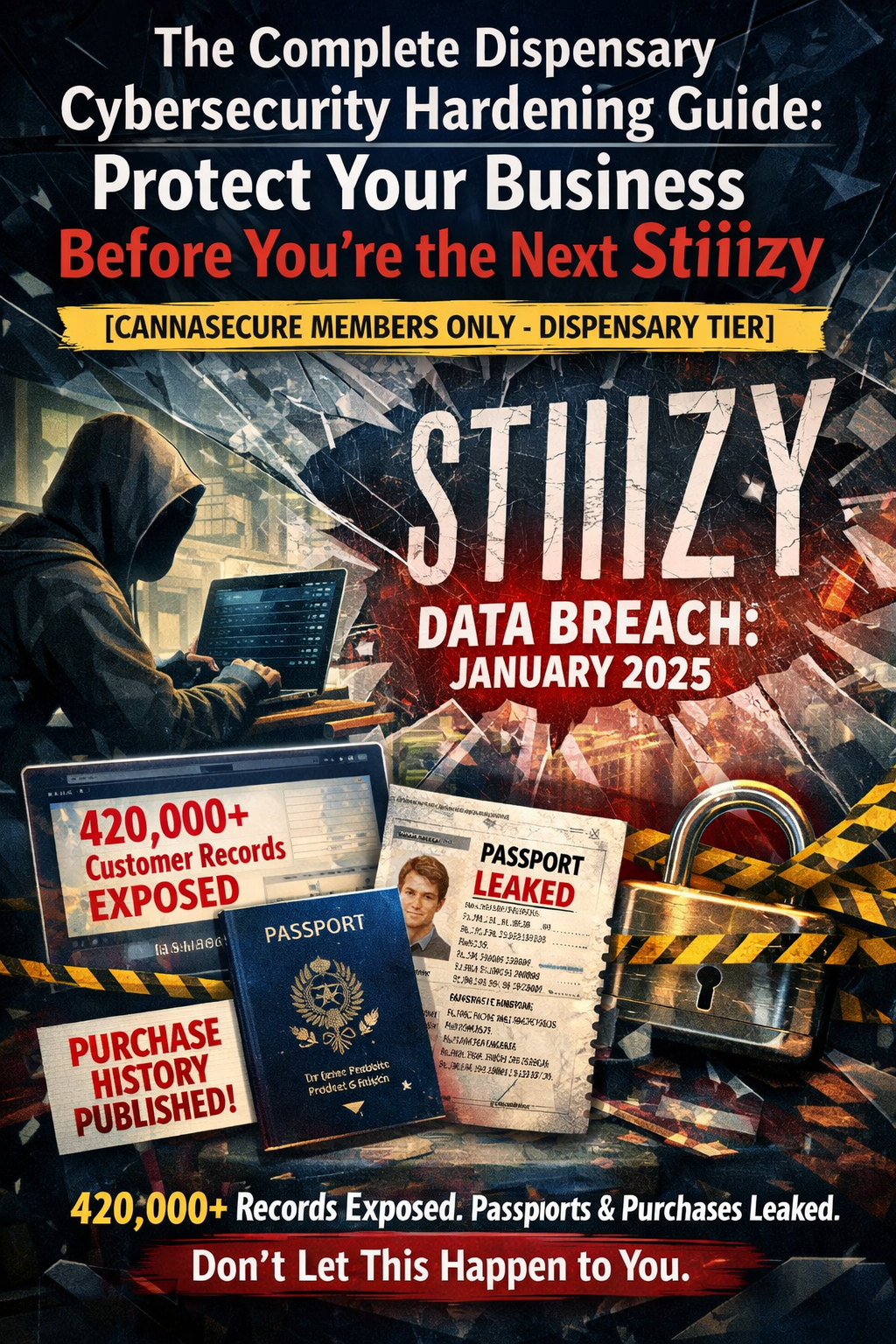
420,000+ customer records exposed. Passports leaked. Purchase histories published. Don’t let this happen to you.
The Wake-Up Call: Stiiizy Breach (January 2025)
On January 10, 2025, Stiiizy—one of the largest cannabis brands in California—confirmed a devastating data breach.
The Everest ransomware gang stole data from over 420,000 customers including:
- Driver’s licenses
- Passport numbers
- Medical cannabis cards
- Customer photographs
- Transaction histories
- Names, addresses, dates of birth
The attackers didn’t even bother with encryption. They simply stole the data and demanded payment. When Stiiizy refused, everything was published on the dark web.
How did it happen?
A third-party point-of-sale (POS) vendor was compromised. Hackers exploited vulnerabilities in the vendor’s systems between October 10 and November 10, 2024—a full month of access before anyone noticed.
The fallout:
- 380,000+ breach notification letters sent
- 12 months of free credit monitoring offered
- Regulatory investigations
- Class action lawsuits pending
- Permanent reputational damage
This is the reality of cannabis cybersecurity in 2025.
And if you think “it won’t happen to us”—you’re exactly the type of target attackers love.
Why Dispensaries Are Prime Targets
1. You Handle Massive Amounts of Sensitive Data
Every customer who walks through your door provides:
- Government-issued ID (driver’s license, passport)
- Medical information (for medical programs)
- Purchase history (what they bought, how much, when)
- Payment information (even if cash, many use debit)
- Photographs (ID scans)
- Personal contact information (loyalty programs)
This is a goldmine for criminals.
Stolen cannabis customer data can be used for:
- Identity theft
- Financial fraud
- Blackmail (cannabis use still stigmatized in many contexts)
- Targeted phishing scams
- Prescription drug fraud (medical cards)
 cannabisrisk.diy
2. You’re Cash-Heavy with Limited Banking
Most dispensaries handle large amounts of cash because traditional banks won’t work with cannabis businesses.
Cash = Target
Cybercriminals know:
- Dispensaries have money
- They may not have sophisticated security
- Traditional banking protections don’t apply
- Ransomware payments may be easier to obtain
3. You Have Weak Security Postures
Let’s be honest: most dispensaries prioritize:
- Compliance (staying licensed)
- Operations (making sales)
- Security (physical cameras)
- Cybersecurity (distant afterthought)
Common security gaps:
- Outdated POS software
- Shared passwords
- No multi-factor authentication
- Unencrypted customer data
- No employee security training
- Weak vendor security requirements
- No incident response plan
Hackers know this. They scan for easy targets, and cannabis businesses frequently qualify.
4. Your Vendors Are Vulnerable
The Stiiizy breach didn’t happen to Stiiizy directly—it happened through their POS vendor.
Third-party risk is your biggest blind spot.
Your dispensary likely uses:
- POS system (Dutchie, Flowhub, Treez, etc.)
- Seed-to-sale integration (Metrc, BioTrack)
- Payment processing (various providers)
- Loyalty programs
- Online ordering platforms
- Delivery management software
- Accounting software
- HR/payroll systems
Each vendor is a potential entry point for attackers.
If ANY of those vendors gets breached, YOUR customer data is exposed.
The 7 Pillars of Dispensary Cybersecurity
Here’s how to protect your business. Implement all seven pillars for comprehensive security.
PILLAR 1: SECURE YOUR POS SYSTEM
Your POS is the heart of your operation—and your biggest vulnerability.
Immediate Actions:
1.1 Update POS Software
- Enable automatic updates
- Don’t delay security patches
- If your POS vendor doesn’t patch regularly, switch vendors
1.2 Segment Your POS Network
- POS terminals should be on their own network segment (VLAN)
- Separate from employee computers, cameras, IoT devices
- If attackers compromise your office computer, they shouldn’t reach POS
Network Segmentation Example:
VLAN 1: POS Terminals (192.168.1.x)
VLAN 2: Employee Workstations (192.168.2.x)
VLAN 3: Security Cameras (192.168.3.x)
VLAN 4: Guest WiFi (192.168.4.x)
VLAN 5: IoT Devices (192.168.5.x)
1.3 Encrypt POS Data at Rest
- All customer data stored on POS should be encrypted
- Use AES-256 encryption minimum
- Ask your POS vendor: “Is customer data encrypted at rest?”
1.4 Encrypt POS Data in Transit
- All data transmitted to Metrc, payment processors, cloud should use TLS 1.3
- No unencrypted connections
- Ask your POS vendor: “Do you use TLS 1.3 for all data transmission?”
1.5 Implement POS Access Controls
- Individual accounts for every employee (NO shared logins)
- Role-based permissions (budtenders can’t access admin functions)
- Strong passwords (12+ characters, no dictionary words)
- Multi-factor authentication for admin accounts
1.6 Log Everything
- Enable full audit logging on POS
- Log all logins, transactions, adjustments, exports
- Retain logs for minimum 90 days (longer if possible)
- Review logs weekly for anomalies
PILLAR 2: IMPLEMENT MULTI-FACTOR AUTHENTICATION (MFA) EVERYWHERE
MFA = The single most effective security control you can implement
If an attacker steals a password, MFA stops them cold.
Where to Enable MFA:
System MFA Requirement Priority
Metrc/BioTrack MANDATORY for all admin accounts Critical
POS Admin Access MANDATORY Critical
Email (all employees) MANDATORY Critical
Cloud Storage (Google Drive, Dropbox) MANDATORY High
Accounting Software MANDATORY High
HR/Payroll Systems MANDATORY High
Security Camera Access MANDATORY High
Online Ordering Admin MANDATORY High
Social Media Accounts Recommended Medium
MFA Options (Best to Worst):
- Hardware Security Keys (YubiKey) - Gold standard
- Authenticator Apps (Google Authenticator, Authy, Microsoft Authenticator) - Excellent
- Push Notifications (Duo, Okta) - Very good
- SMS Codes - Better than nothing, but vulnerable to SIM swapping
DO NOT rely on SMS codes for critical systems. Use authenticator apps minimum.
How to Implement:
For Metrc:
- Log into Metrc admin panel
- Go to Security Settings
- Enable Two-Factor Authentication
- Scan QR code with authenticator app
- Save backup codes in password manager
For Google Workspace/Microsoft 365:
- Admin console → Security → 2-Step Verification
- Enable for all users
- Enforce for admin accounts
- Allow authenticator apps only (disable SMS)
For POS Systems:
- Contact your POS vendor
- Request MFA for admin accounts
- If they don’t support MFA, escalate or consider switching
PILLAR 3: TRAIN YOUR EMPLOYEES
91% of cyberattacks start with phishing.
Your employees are your first line of defense—or your biggest vulnerability.
3.1 Phishing Awareness Training
What employees must recognize:
- Suspicious email sender addresses
- Urgent requests for money or credentials
- Links that don’t match expected URLs
- Attachments from unknown senders
- Requests to bypass normal procedures
Training Program:
- Initial training during onboarding (1-2 hours)
- Monthly phishing simulations (test with fake phishing emails)
- Quarterly refresher training (30 minutes)
- Immediate retraining for anyone who fails simulations
Phishing Simulation Tools:
- KnowBe4 (industry leader)
- Proofpoint Security Awareness
- Cofense PhishMe
- Free option: GoPhish (self-hosted)
3.2 Password Security Training
Rules employees must follow:
- Unique password for every account
- 12+ characters minimum
- No dictionary words
- Use password manager (1Password, Bitwarden, LastPass)
- Never share passwords
- Never write passwords on sticky notes
3.3 Social Engineering Awareness
Employees must know:
- Never give credentials over the phone (even to “IT support”)
- Verify unusual requests through separate channel
- Report suspicious calls/visitors
- Don’t plug in unknown USB devices
- Lock computer when stepping away
3.4 Incident Reporting
Employees must report:
- Suspicious emails (even if they didn’t click)
- Unexpected password reset requests
- Strange computer behavior
- Unknown people asking questions
- Lost or stolen devices
Create a simple reporting process:
- Dedicated email: security@yourdispensary.com
- Quick form on internal portal
- Direct line to manager
- No punishment for reporting (encourage it)
PILLAR 4: VENDOR SECURITY MANAGEMENT
The Stiiizy breach happened through a vendor. Don’t make the same mistake.
4.1 Inventory Your Vendors
Create a vendor inventory spreadsheet:
Vendor Service Data Access Contract Date Security Assessment Last Review
Dutchie POS Customer PII, transactions Jan 2024 Passed Oct 2025
Metrc Compliance Inventory, employee data Mandatory State-mandated Ongoing
PayQwick Payments Financial data Mar 2024 Passed Nov 2025
[Your vendors] … … … … …
4.2 Assess Vendor Security
Before signing any contract, ask:
Security Questions for Vendors:
- “Do you have SOC 2 Type II certification?” (Minimum standard)
- “Do you encrypt all data at rest and in transit?”
- “Do you conduct regular penetration testing?”
- “Do you have a dedicated security team?”
- “What is your incident response process?”
- “Do you have cyber insurance?”
- “Will you notify us within 24 hours of a breach?”
- “Can we audit your security practices?”
Red Flags:
- No SOC 2 certification
- Can’t answer security questions
- Vague responses about encryption
- No incident response plan
- Unwilling to sign security addendum
4.3 Contractual Requirements
Add these clauses to vendor contracts:
Data Protection Clause:
“Vendor shall implement and maintain appropriate technical and organizational measures to protect Customer Data against unauthorized access, disclosure, alteration, or destruction. Such measures shall include, at minimum, AES-256 encryption at rest, TLS 1.3 in transit, and multi-factor authentication for all administrative access.” Breach Notification Clause:
“Vendor shall notify Customer within 24 hours of discovering any actual or suspected security incident affecting Customer Data. Notification shall include the nature of the incident, types of data affected, and remediation steps taken.” Audit Rights Clause:
“Customer shall have the right to audit Vendor’s security practices annually, or immediately following any security incident, at Customer’s expense.” 4.4 Ongoing Vendor Monitoring
- Request updated SOC 2 reports annually
- Subscribe to vendor security bulletins
- Monitor for news of vendor breaches
- Conduct quarterly vendor review meetings
PILLAR 5: NETWORK SECURITY
Protect your digital perimeter.
5.1 Firewall Configuration
Every dispensary needs a business-grade firewall.
Recommended Firewalls:
- Fortinet FortiGate (enterprise-grade)
- Sophos XGS (mid-market)
- Cisco Meraki MX (cloud-managed)
- Ubiquiti UniFi Security Gateway (budget)
NOT acceptable: Consumer routers from Best Buy
Firewall Rules:
- Block all inbound traffic by default
- Allow only necessary outbound ports
- Segment networks (POS, cameras, employees, guests)
- Enable intrusion detection/prevention (IDS/IPS)
- Log all traffic
5.2 WiFi Security
Your WiFi is a door to your network.
Requirements:
- WPA3 encryption (WPA2 minimum)
- Strong passphrase (20+ characters)
- Separate network for guests (isolated from business)
- Hide SSID for business networks
- Disable WPS (vulnerable to attack)
- Regularly change passwords (quarterly minimum)
5.3 Remote Access Security
If employees can access systems remotely:
- Use VPN for all remote access
- MFA required for VPN login
- No direct RDP exposure to internet (massive vulnerability)
- Limit remote access to necessary personnel only
- Log all remote sessions
5.4 Endpoint Protection
Every computer needs:
- Business-grade antivirus/EDR (not free consumer AV)
- Automatic updates enabled
- Full-disk encryption (BitLocker, FileVault)
- Host-based firewall enabled
- Managed by central console
Recommended Endpoint Protection:
- CrowdStrike Falcon
- SentinelOne
- Microsoft Defender for Business
- Sophos Intercept X
PILLAR 6: DATA PROTECTION & BACKUP
Ransomware encrypts your data. Backups save you.
6.1 Backup Strategy: 3-2-1 Rule
- 3 copies of critical data
- 2 different storage types (e.g., local + cloud)
- 1 copy offsite (or cloud)
What to backup:
- Customer database
- Transaction history
- Employee records
- Compliance documentation
- Financial records
- Security footage (per retention requirements)
6.2 Backup Configuration
Data Type Backup Frequency Retention Storage Location
POS/Customer Data Daily 90 days Cloud + local
Financial Records Daily 7 years Cloud + offsite
Security Footage Continuous Per state (40-90 days) Local + cloud
Compliance Docs Weekly Permanent Cloud
6.3 Backup Testing
Backups are worthless if they don’t work.
- Test restore monthly
- Document restoration process
- Time how long recovery takes
- Verify data integrity after restore
6.4 Encryption Requirements
- Encrypt all backups
- Store encryption keys separately from backups
- Use AES-256 encryption
- Never store unencrypted backups in cloud
PILLAR 7: INCIDENT RESPONSE PLAN
When (not if) you’re attacked, you need a plan.
7.1 Incident Response Team
Designate roles:
Role Responsibility Person Contact
Incident Commander Overall coordination [Owner/GM] [Phone]
IT Lead Technical response [IT person or MSP] [Phone]
Communications Customer/media [Marketing/Owner] [Phone]
Legal Regulatory/legal [Attorney] [Phone]
Compliance State notification [Compliance Officer] [Phone]
7.2 Incident Response Procedures
PHASE 1: DETECTION (0-1 hour)
- Identify the incident (what happened?)
- Assess scope (which systems affected?)
- Classify severity (critical, high, medium, low)
- Notify incident response team
PHASE 2: CONTAINMENT (1-4 hours)
- Isolate affected systems (disconnect from network)
- Preserve evidence (don’t wipe anything yet)
- Change compromised credentials
- Block attacker access points
- Document all actions taken
PHASE 3: ERADICATION (4-24 hours)
- Identify root cause
- Remove malware/attacker access
- Patch vulnerabilities exploited
- Verify systems are clean
- Engage forensics if needed
PHASE 4: RECOVERY (24-72 hours)
- Restore from clean backups
- Verify system integrity
- Monitor for re-infection
- Gradually restore operations
- Document lessons learned
PHASE 5: NOTIFICATION (Per state requirements)
- Notify state cannabis regulator (timeline varies)
- Notify affected customers (if data breach)
- Notify law enforcement (if required/desired)
- File reports with state AG (if required)
7.3 State Breach Notification Requirements
State Notification Deadline Regulator Contact
California “Most expedient time possible” CA AG
Colorado 30 days CO AG + MED
Michigan Without unreasonable delay MI AG + CRA
Nevada “As soon as possible” NV AG + CCB
[Your state] [Check state law] [Regulator]
7.4 Customer Notification Template
Subject: Important Notice About Your Data Security

Dear [Customer Name],

We are writing to inform you of a security incident that may have affected your personal information.

What Happened:
[Brief description]

What Information Was Involved:
[List data types]

What We Are Doing:
[Actions taken]

What You Can Do:
[Protective steps]

Free Credit Monitoring:
[If offering]

Contact Information:
[Support details]

We sincerely apologize for any inconvenience.

[Signature]
Quick-Start Security Checklist
Implement these TODAY:
Week 1: Critical
- Enable MFA on Metrc/BioTrack
- Enable MFA on all email accounts
- Enable MFA on POS admin accounts
- Change any shared passwords to individual accounts
- Verify backups are running and test restore
Week 2: High Priority
- Inventory all vendors with data access
- Request SOC 2 reports from critical vendors
- Implement network segmentation (at least separate guest WiFi)
- Deploy business-grade antivirus on all computers
- Create incident response contact list
Week 3-4: Important
- Conduct phishing awareness training for all employees
- Enable full audit logging on POS
- Review and update firewall rules
- Document all system configurations
- Create/update incident response plan
Ongoing:
- Weekly: Review security logs
- Monthly: Phishing simulation
- Quarterly: Password rotation for critical systems
- Quarterly: Vendor security review
- Annually: Full security assessment
- Annually: Incident response tabletop exercise
Security Budget Guidelines
What should you spend on cybersecurity?
Rule of thumb: 3-5% of gross revenue
Example budgets:
Small Dispensary ($500K revenue):
- Annual budget: $15,000-$25,000
- Managed security service: $500-$1,000/month
- Endpoint protection: $50-$100/month
- Backup solution: $100-$200/month
- Employee training: $500-$1,000/year
- Annual security assessment: $2,000-$5,000
Medium Dispensary ($2M revenue):
- Annual budget: $60,000-$100,000
- Managed security service: $1,500-$3,000/month
- Security tools: $500-$1,000/month
- Backup solution: $300-$500/month
- Employee training: $2,000-$5,000/year
- Annual penetration testing: $5,000-$15,000
Multi-Location Operator ($10M revenue):
- Annual budget: $300,000-$500,000
- Dedicated security staff or MSSP
- Enterprise security tools
- 24/7 security monitoring
- Regular penetration testing
- Compliance program
- Cyber insurance: $20,000-$50,000/year
Cyber Insurance: Critical Protection
Every dispensary needs cyber insurance.
What it covers:
- Breach response costs
- Customer notification expenses
- Credit monitoring services
- Legal fees
- Regulatory fines (in some cases)
- Business interruption
- Ransomware payments (controversial but available)
Coverage recommendations:
- Small dispensary: $500,000-$1M policy
- Medium dispensary: $1M-$3M policy
- Large/multi-location: $5M+ policy
Providers writing cannabis cyber policies:
- Next Insurance
- Founder Shield
- Cannasure
- HUB International
- Marsh McLennan
Cost: $2,000-$20,000/year depending on size and coverage
Recommended Security Tools
Category Tool Cost Why
Password Manager 1Password Business $8/user/month Secure credential storage
MFA Duo Security $3/user/month Enterprise-grade MFA
Endpoint Protection CrowdStrike $10-15/endpoint/month Best-in-class EDR
Email Security Proofpoint $5/user/month Phishing protection
Backup Veeam $500-2,000/year Reliable backups
Network Monitoring Datadog $15/host/month Visibility
Security Training KnowBe4 $1,000-5,000/year Phishing awareness
Firewall Fortinet FortiGate $1,000-5,000/year Network security
When to Hire Help
Consider a Managed Security Service Provider (MSSP) if:
- You have no dedicated IT staff
- You can’t monitor systems 24/7
- You lack security expertise in-house
- You’ve had a security incident
- Compliance requirements are overwhelming
What MSSPs provide:
- 24/7 security monitoring
- Incident response
- Patch management
- Security tool management
- Compliance support
- Vendor security assessments
Cost: $1,000-$5,000/month for small-medium dispensaries
Key Takeaways
- You ARE a target. Don’t assume you’re too small. Hackers use automated tools that scan for ANY vulnerability.
- Vendor risk is YOUR risk. The Stiiizy breach happened through a vendor. Assess and monitor all third parties.
- MFA everywhere. Single most effective control. Implement immediately.
- Train your people. 91% of attacks start with phishing. Employees are your first defense.
- Have a plan. When (not if) you’re attacked, you need to know what to do.
- Invest appropriately. 3-5% of revenue for security is reasonable. It’s far cheaper than a breach.
- Get insurance. Cyber insurance is essential for every cannabis business.
Need Help?
CannaSecure offers:
- Security assessments ($2,500-$10,000)
- Penetration testing ($5,000-$15,000)
- Incident response retainers
- vCISO services
- Compliance consulting
Related Resources:
- Metrc Security Configuration Guide (Dispensary Tier)
- POS Vendor Security Assessment Checklist
- Cannabis Incident Response Template
- Employee Security Training Materials