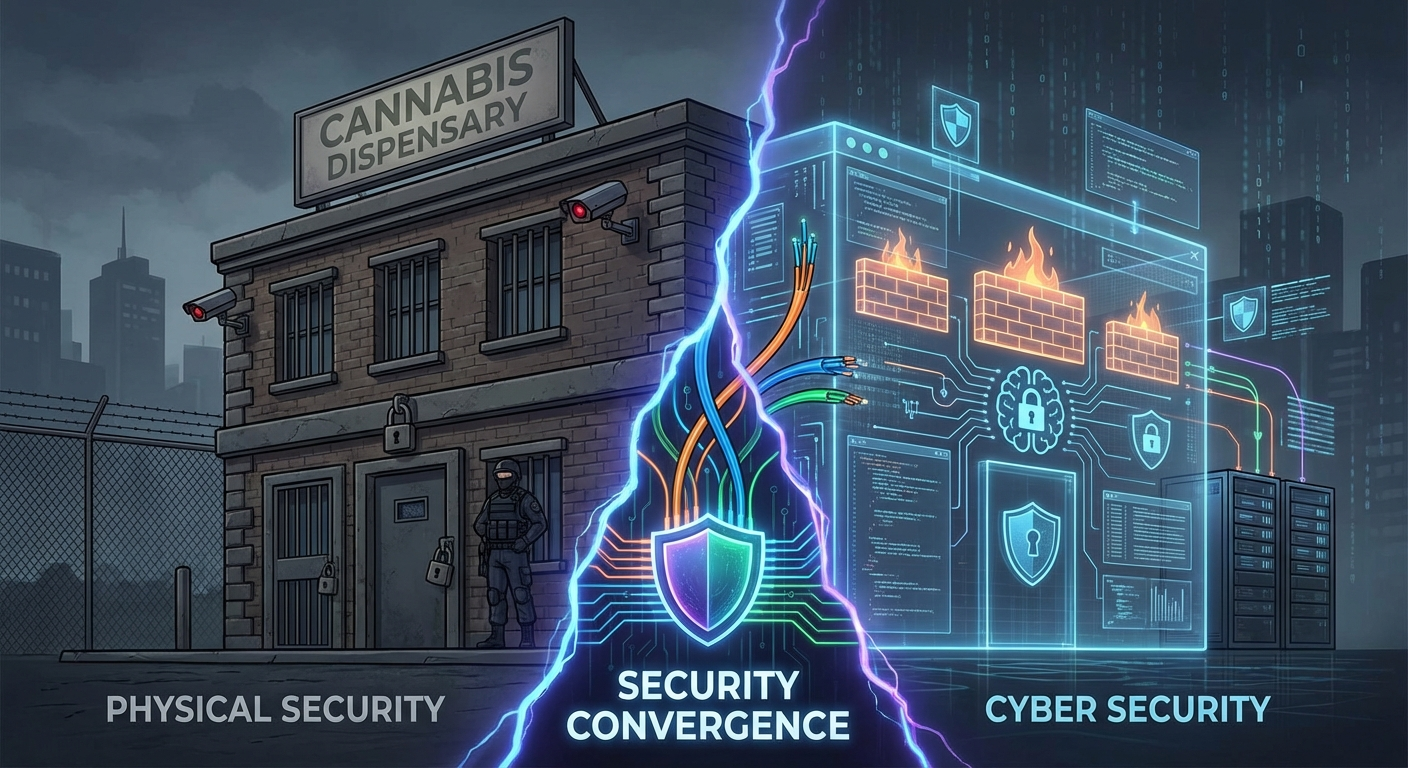
Bridging the Gap Between Locks and Firewalls in Cannabis Facilities
Your IP cameras are on the same network as your POS system. Your access control badges are managed by cloud software. Your alarm system calls out over the internet. Physical security IS cybersecurity—and most cannabis operators don’t realize it until after the breach.
WHY THIS GUIDE MATTERS
The cannabis industry has some of the strictest physical security requirements of any sector. States mandate cameras, access controls, alarm systems, vault storage, and security guards.
But here’s what regulators didn’t anticipate: every physical security device you install is now a computer on your network.
Your “physical” security is actually:
- IP cameras running Linux firmware with known vulnerabilities
- Access control systems connected to cloud management platforms
- Alarm panels communicating over cellular or internet connections
- DVR/NVR systems storing terabytes of footage on networked drives
- Environmental sensors reporting to cloud dashboards
- Smart safes with wireless connectivity
When attackers compromise these systems, they can:
- Disable cameras before a break-in
- Unlock doors remotely
- Suppress alarm notifications
- Watch your facility in real-time to plan robberies
- Use cameras as entry points to your entire network
- Harvest footage of employees entering safe combinations
- Access your POS, Metrc, and business systems through lateral movement
Real-World Incidents:
- 2023: Cannabis cultivation facility in California had IP cameras compromised through default credentials. Attackers watched operations for weeks before a coordinated theft.
- 2024: Colorado dispensary’s NVR was infected with ransomware that spread to their POS system through an unsegmented network—both physical security footage AND sales data were encrypted.
- 2024: Oregon grow operation discovered their “secure” access control system had been backdoored, with badge access logs being exfiltrated to track employee schedules.
- 2025: Multi-state operator found that a vulnerability in their cloud-connected safe management system exposed safe combinations across 12 locations.
This guide shows you how to:
- Understand where physical and cyber security intersect
- Secure your cameras, access control, and alarm systems
- Properly segment your network to isolate security devices
- Implement monitoring that catches both physical AND cyber threats
- Meet compliance requirements while building real security
- Create integrated incident response procedures
SECTION 1: THE CONVERGENCE PROBLEM
1.1 Why Physical Security is Now Cybersecurity
The Old Model (Pre-2010):
┌─────────────────────────────────────────────────────────────┐
│                    PHYSICAL SECURITY                        │
│  • Analog cameras with coax cables                         │
│  • Mechanical locks with physical keys                     │
│  • Landline alarm systems                                  │
│  • Separate from IT infrastructure                         │
│  • Security guards and police response                     │
└─────────────────────────────────────────────────────────────┘
                        COMPLETELY SEPARATE
┌─────────────────────────────────────────────────────────────┐
│                       CYBERSECURITY                         │
│  • Computers and servers                                   │
│  • Network firewalls                                       │
│  • Antivirus software                                      │
│  • IT department responsibility                            │
└─────────────────────────────────────────────────────────────┘
The New Reality (2025):
┌─────────────────────────────────────────────────────────────┐
│             CONVERGED PHYSICAL-CYBER SECURITY               │
├─────────────────────────────────────────────────────────────┤
│  IP Cameras ←──── Network ────→ POS System                 │
│  Access Control ←── Network ──→ Metrc Integration          │
│  Alarm Panel ←──── Network ────→ Cloud Services            │
│  NVR/DVR ←──────── Network ────→ Remote Monitoring         │
│  Smart Safe ←───── Network ────→ Cash Management           │
│  Environmental ←── Network ────→ Grow Controls             │
│                                                             │
│  ALL ON THE SAME NETWORK = ALL AT RISK TOGETHER            │
└─────────────────────────────────────────────────────────────┘
The gap in most organizations:
- Physical security team installs cameras, access control, alarms
- IT team manages computers, POS, network
- Neither team owns the security of IoT devices
- Result: Vulnerable devices sitting on production networks with no monitoring
1.2 The Cannabis-Specific Risk Factors
Why Cannabis Facilities Are High-Value Targets:
Factor Impact
Cash-heavy operations Average dispensary holds $20K-$50K daily
High-value inventory Cannabis worth $1,500-$3,000/lb in legal markets
Resale market Stolen product easily sold in illegal states
Regulatory pressure Compliance failures = license suspension
Limited banking Cash storage increases robbery appeal
Extended hours Early/late operations with minimal staff
Remote grow locations Cultivation facilities often isolated
Attack Statistics:
Hardly a day goes by that a dispensary hasn’t been broken into or robbed. The vast majority of break-ins are classified as smash and grabs or crash and grabs.
Data shows there was a 19% decline in burglary, robbery and vandalism incidents reported by cannabis businesses throughout Fiscal Year 2024. About 90% of the businesses that were impacted by crimes were retail businesses. 72% of cannabis businesses have faced at least one of these offenses before.
Most offenses occur between the hours of 1 a.m. and 4 a.m.
The convergence threat: Criminals are getting smarter. Rather than smash-and-grab, sophisticated actors now:
- Compromise cameras to conduct reconnaissance
- Study employee patterns and safe access procedures
- Disable security systems before physical attack
- Time attacks to maximum cash on hand
1.3 The Compliance Gap
What Regulations Require:
Most state cannabis regulations mandate:
- 24/7 video surveillance of all cannabis handling areas
- Access control for limited access areas
- Alarm systems monitored by licensed companies
- Video retention (30-90 days typically, California requires 1 year)
- Ability to provide footage to regulators on demand
What Regulations DON’T Address:
Most state regulations say nothing about:
- Network security for surveillance systems
- Firmware updates for cameras
- Password requirements for NVR systems
- Network segmentation for security devices
- Encryption of video streams
- Cloud security for remote access
The Result:
You can be 100% compliant with physical security regulations and still be completely vulnerable to cyber attacks on those same systems.
Compliance ≠ Security
This guide helps you achieve both.
SECTION 2: IP CAMERA SECURITY
2.1 Understanding IP Camera Vulnerabilities
IP cameras are computers. They run operating systems (usually Linux), have processors, memory, network connections, and often run web servers for configuration.
Common Vulnerabilities:
Vulnerability Description Risk Level
Default credentials Factory username/password unchanged CRITICAL
Outdated firmware Unpatched security flaws CRITICAL
Unencrypted streams Video viewable by anyone on network HIGH
P2P vulnerabilities Remote access bypasses firewall CRITICAL
UPnP enabled Automatic port forwarding exposes devices HIGH
Telnet/FTP enabled Legacy protocols with no encryption HIGH
Web interface flaws XSS, CSRF, command injection HIGH
Hardcoded backdoors Some manufacturers include hidden access CRITICAL
Real-World Camera Vulnerabilities:
In January 2023, Hangzhou Xiongmai Technology recalled 4.3 million internet-connected camera products linked to Distributed Denial of Service (DDoS) attacks. In April 2023, video surveillance giant Hikvision patched a critical vulnerability affecting its Hybrid SAN and cluster storage products. In January 2024, Security Service of Ukraine identified a security camera monitoring a residential complex’s parking facility as being used to conduct reconnaissance prior to missile attacks.
In March 2025, CVE-2025-1316 emerged—a command injection flaw in Edimax IC-7100 IP cameras. Exploited in the wild, this zero-day was actively used by Mirai-based malware to infect thousands of devices that were already end-of-life and unpatched.
Affected devices use “peer-to-peer” features that allow users to connect to their devices the moment they come online. Hackers are able to exploit flaws in these features to rapidly find vulnerable cameras, then launch attacks to access them. As of October 2022, over 8.7 million vulnerable devices have been found on the Internet.
2.2 Camera Security Hardening Checklist
Immediate Actions (Do Today)
☐ Change all default passwords
Camera/NVR Default Changed? Strong Password? Documented Securely?
☐ Yes ☐ Yes ☐ Yes
☐ Yes ☐ Yes ☐ Yes
☐ Yes ☐ Yes ☐ Yes
NVR Admin ☐ Yes ☐ Yes ☐ Yes
Password Requirements:
- 16+ characters minimum
- Unique per device (not same password for all cameras)
- Stored in enterprise password manager only
- Never written on devices or near equipment
☐ Update all firmware
Device Current Version Latest Version Updated?
☐
☐
NVR
☐
Where to find updates:
- Manufacturer website (download section)
- NVR management interface
- Camera web interface
⚠️ Schedule firmware updates quarterly minimum
☐ Disable unnecessary services
Service Why Disable Disabled?
Telnet Sends credentials in cleartext ☐
FTP Sends data in cleartext ☐
UPnP Auto-opens firewall ports ☐
P2P/Cloud Bypasses firewall, often vulnerable ☐
SNMP v1/v2 Cleartext community strings ☐
SSH (if unused) Reduces attack surface ☐
☐ Enable encryption
Encryption Type Where Enabled?
HTTPS for web interface All cameras, NVR ☐
RTSP over TLS Video streams ☐
SRTP Audio streams ☐
HTTPS for cloud access Remote viewing apps ☐
Network Security (Do This Week)
☐ Place cameras on separate VLAN
INCORRECT (Flat Network):
┌──────────────────────────────────────────────────────────┐
│                    SINGLE NETWORK                        │
│  Cameras + NVR + POS + Computers + WiFi + Everything     │
│  [All devices can talk to all other devices]             │
└──────────────────────────────────────────────────────────┘

CORRECT (Segmented Network):
┌─────────────────┐   ┌─────────────────┐   ┌─────────────────┐
│ CAMERA VLAN     │   │ POS VLAN        │   │ CORPORATE VLAN  │
│ (VLAN 10)       │   │ (VLAN 20)       │   │ (VLAN 30)       │
│                 │   │                 │   │                 │
│ • IP Cameras    │   │ • POS Terminals │   │ • Workstations  │
│ • NVR           │   │ • Card Readers  │   │ • Printers      │
│                 │   │ • Metrc Devices │   │ • WiFi          │
└────────┬────────┘   └────────┬────────┘   └────────┬────────┘
         │                     │                     │
         └─────────────────────┼─────────────────────┘
                               │
                    ┌──────────┴──────────┐
                    │      FIREWALL       │
                    │  (Controls traffic  │
                    │   between VLANs)    │
                    └─────────────────────┘
VLAN Configuration Checklist:
☐ Create dedicated VLAN for cameras/NVR (e.g., VLAN 10) ☐ Configure switch ports for camera VLAN ☐ Configure firewall rules:
- DENY camera VLAN → Internet (cameras don’t need internet)
- DENY camera VLAN → POS VLAN
- DENY camera VLAN → Corporate VLAN
- ALLOW NVR → specific management IPs only
- ALLOW authorized users → NVR for viewing
☐ Disable remote access (or secure it properly)
Best: No remote access at all (view only on-site)
If remote access required:
- Use VPN, not port forwarding
- Require multi-factor authentication
- Limit to specific IP addresses
- Use manufacturer’s secure cloud (if reputable)
- Never expose NVR directly to internet
☐ Disable UPnP on router/firewall
UPnP allows devices to automatically open firewall ports—exactly what attackers want.
Ongoing Maintenance (Monthly)
☐ Monthly camera security review
Check Jan Feb Mar Apr May Jun
All cameras online ☐ ☐ ☐ ☐ ☐ ☐
Firmware current ☐ ☐ ☐ ☐ ☐ ☐
Login attempts reviewed ☐ ☐ ☐ ☐ ☐ ☐
No unauthorized users ☐ ☐ ☐ ☐ ☐ ☐
Passwords rotated (quarterly) ☐
☐
☐
☐ Quarterly firmware updates
Device Q1 Update Q2 Update Q3 Update Q4 Update
☐ ☐ ☐ ☐
☐ ☐ ☐ ☐
NVR ☐ ☐ ☐ ☐
2.3 NVR/DVR Security
Your NVR is the crown jewel for attackers. It contains:
- All your video footage
- Camera credentials
- Access to all cameras
- Often runs 24/7 unmonitored
NVR Security Checklist:
☐ Physical security
- Located in locked room or cabinet
- Not visible to customers
- Backup power (UPS) connected
- Temperature controlled
☐ Account security
- Admin password: 16+ characters, unique
- Viewer accounts: Limited permissions
- No shared accounts—individual credentials
- Review accounts quarterly, remove terminated employees
☐ Network security
- Dedicated VLAN with cameras
- No direct internet access
- Remote access via VPN only
- Firewall logs monitored
☐ Storage security
- RAID configured for redundancy
- Automatic overwrite of old footage (per retention requirements)
- Encrypted storage if available
- Offsite backup for critical footage
☐ Logging enabled
- User login/logout events
- Configuration changes
- Export/download activities
- Failed login attempts
2.4 Camera Vendor Selection
Avoid These Red Flags:
❌ Unknown/no-name brands (often rebranded Chinese ODM with backdoors) ❌ No firmware update history ❌ No security vulnerability disclosure process ❌ P2P-only remote access (cloud dependency) ❌ No HTTPS option ❌ Banned by US government (Hikvision, Dahua for federal use)
Look For:
✅ NDAA-compliant manufacturers (required for federal contracts) ✅ Regular firmware updates with security patches ✅ ONVIF compliance for interoperability ✅ Local storage options (not cloud-dependent) ✅ Encryption support (HTTPS, SRTP) ✅ Enterprise-grade access controls ✅ SOC 2 certification (for cloud features)
Reputable Cannabis-Friendly Vendors:
Vendor Notes
Hanwha Vision NDAA-compliant, cannabis experience
Axis Communications Premium, strong security focus
Verkada Cloud-native, enterprise security
Rhombus Cloud-based, AI analytics
Avigilon (Motorola) Enterprise-grade
All new Hanwha Vision cameras and devices are fully NDAA-compliant and meet the highest cybersecurity standards.
SECTION 3: ACCESS CONTROL SECURITY
3.1 Access Control Attack Vectors
Modern access control systems are networked computers. They include:
- Door controllers (computers that unlock doors)
- Credential readers (badge/fob/biometric scanners)
- Management software (often cloud-based)
- Integration APIs (connecting to HR systems, visitor management)
Common Attack Vectors:
Attack Method Impact
Credential cloning Copy RFID badge data Unauthorized entry
Controller exploitation Attack door controller over network Mass unlock all doors
Cloud compromise Attack vendor’s cloud platform Access all managed locations
Relay attack Extend badge signal range Entry without physical badge
Default credentials Unchanged admin passwords Full system control
Insider threat Former employee badges not revoked Unauthorized access
The Cloud Risk:
Many modern access control systems are cloud-managed. This means:
- Vendor has access to your door schedules
- Vendor can unlock your doors remotely
- Vendor breach = your doors compromised
- Internet outage = potential lockout
3.2 Access Control Hardening Checklist
Credential Security
☐ Use modern credential technology
Technology Security Level Notes
Magnetic stripe ❌ POOR Easily cloned, avoid
125kHz proximity (HID ProxCard) ❌ POOR Easily cloned, legacy
13.56MHz MIFARE Classic ⚠️ MEDIUM Encryption broken, avoid
13.56MHz MIFARE DESFire EV2/EV3 ✅ GOOD Strong encryption
Mobile credentials (BLE) ✅ GOOD Phone-based, harder to clone
Biometrics + badge ✅ BEST Multi-factor
☐ Enable multi-factor for sensitive areas
Area Badge Only? Badge + PIN? Badge + Biometric?
Lobby entrance ✅
Retail floor ✅
Limited access areas
✅
Vault/safe room
✅
Server room
✅
Grow rooms
✅
☐ Badge management procedures
Procedure Implemented?
Unique badge per employee ☐
Badge photo matches employee ☐
Badge deactivated same day as termination ☐
Lost badges reported and deactivated immediately ☐
Contractor badges expire automatically ☐
Visitor badges returned and logged ☐
Badge audit conducted quarterly ☐
Controller & System Security
☐ Change all default credentials
Component Default Changed? Strong Password?
Controller admin ☐ Yes ☐ Yes
Management software ☐ Yes ☐ Yes
Cloud portal ☐ Yes ☐ Yes
Database ☐ Yes ☐ Yes
☐ Network security for controllers
Requirement Implemented?
Controllers on dedicated VLAN ☐
Controllers isolated from internet ☐
Management traffic encrypted ☐
Firmware updates current ☐
Unused ports disabled ☐
☐ Enable and review audit logs
Log Type Enabled? Retained? Reviewed?
Door open/close events ☐ ☐ 90+ days ☐ Weekly
Access granted/denied ☐ ☐ 90+ days ☐ Weekly
Admin configuration changes ☐ ☐ 1+ year ☐ Weekly
User creation/modification ☐ ☐ 1+ year ☐ Weekly
Failed access attempts ☐ ☐ 90+ days ☐ Daily
Termination Procedures
⚠️ CRITICAL: Access must be revoked IMMEDIATELY upon termination
Approximately 90% of the financial and product losses in the cannabis industry can be attributed to internal threats.
Same-Day Termination Checklist:
Action Responsible Completed
Badge physically collected Manager ☐
Badge deactivated in system Security/HR ☐
PIN codes changed (if shared) Security ☐
Biometric data removed Security ☐
Remote access revoked IT ☐
Keys returned (if any) Manager ☐
Alarm codes changed (if known) Security ☐
Quarterly Access Review:
Employee Still Active? Access Level Appropriate? Action
☐ Yes ☐ No ☐ Yes ☐ No
☐ Yes ☐ No ☐ Yes ☐ No
☐ Yes ☐ No ☐ Yes ☐ No
3.3 Cloud vs. On-Premise Access Control
Cloud-Based Systems:
Pros Cons
Easy remote management Vendor has access to your doors
Automatic updates Internet dependency
Lower upfront cost Ongoing subscription cost
Mobile app convenience Vendor breach = your breach
Easy multi-location Data stored off-site
On-Premise Systems:
Pros Cons
Full control of system Higher upfront cost
No internet dependency Manual updates required
No vendor access to doors Remote access more complex
Data stays local IT expertise required
Recommendation for Cannabis:
For high-security facilities, consider hybrid approach:
- On-premise controllers that function without internet
- Cloud management as optional overlay
- Local backup of all configurations
- Failsafe that locks (or unlocks per fire code) if cloud unavailable
SECTION 4: ALARM SYSTEM SECURITY
4.1 Alarm System Vulnerabilities
Modern alarm systems communicate over:
- Cellular networks (LTE/5G)
- IP networks (Ethernet/WiFi)
- Radio (backup)
- Traditional phone lines (increasingly rare)
Attack Vectors:
Attack Method Impact
Jamming Block cellular/radio signals Alarm can’t call out
Network attack Compromise IP-connected panel Disable alarm
Default codes Unchanged installer codes Full system control
Social engineering Impersonate monitoring company False alarm disregard
Panel exploitation Attack panel firmware Persistent access
4.2 Alarm System Hardening
☐ Change all default codes
Code Type Changed? Who Knows It?
Master code ☐ Yes Owner/Manager only
Installer code ☐ Yes Security company only
Duress code ☐ Yes Documented with employees
User codes ☐ Yes Individual employees
☐ Require dual communication paths
Primary Path Backup Path Configured?
Cellular IP ☐ Yes
IP Cellular ☐ Yes
IP Radio ☐ Yes
If one path is blocked, the other should trigger alert.
☐ Enable panel tamper protection
Protection Enabled?
Panel tamper switch ☐ Yes
Siren tamper detection ☐ Yes
Cellular jam detection ☐ Yes
Line cut detection (if wired) ☐ Yes
Power failure notification ☐ Yes
☐ Review alarm response procedures
Item Documented? Updated?
Primary contact list ☐ Yes ☐ Within 90 days
Backup contacts ☐ Yes ☐ Within 90 days
Password/passphrase for verification ☐ Yes ☐
Duress code procedure ☐ Yes ☐
Police dispatch requirements ☐ Yes ☐
☐ Network security for IP-connected panels
Requirement Implemented?
Panel on dedicated VLAN ☐
Encrypted communication to monitoring ☐
Firmware updated ☐
No remote access except monitoring ☐
4.3 Panic Buttons & Duress Codes
State regulations often require panic buttons. Ensure they’re properly configured:
☐ Panic button placement
Location Installed? Tested? Hidden from View?
Front counter/POS ☐ ☐ ☐
Back office ☐ ☐ ☐
Vault/safe room ☐ ☐ ☐
Manager office ☐ ☐ ☐
Receiving area ☐ ☐ ☐
☐ Duress code training
All employees should know:
- What the duress code is
- When to use it (being forced to disarm)
- That it silently alerts monitoring
- That they should comply with robbers to stay safe
Test Schedule:
Test Type Frequency Last Test Next Test
Panic button functionality Monthly
Duress code verification Quarterly
Full alarm test with monitoring Annually
SECTION 5: NETWORK SEGMENTATION
5.1 Why Segmentation is Critical
The Flat Network Problem:
In a typical small business network, all devices are on the same network segment. This means:
- Your cameras can communicate with your POS
- Your POS can reach your environmental controls
- A compromised camera can attack everything else
- Ransomware can spread from any device to all devices
Network segmentation is a network security practice and defense-in-depth strategy of dividing the main network into multiple, smaller subnetworks to better protect sensitive data and limit lateral movement to the rest of the network.
The Segmented Network Solution:
Create separate network zones with firewalls controlling traffic between them:
┌───────────────────────────────────────────────────────────────┐
│                    FIREWALL/ROUTER                            │
│         (Controls ALL traffic between zones)                  │
└───────────────────────────────────────────────────────────────┘
          │              │              │              │
          ▼              ▼              ▼              ▼
┌─────────────┐  ┌─────────────┐  ┌─────────────┐  ┌─────────────┐
│  SECURITY   │  │    POS      │  │  CORPORATE  │  │    GUEST    │
│   VLAN 10   │  │   VLAN 20   │  │   VLAN 30   │  │   VLAN 40   │
├─────────────┤  ├─────────────┤  ├─────────────┤  ├─────────────┤
│ • Cameras   │  │ • POS terms │  │ • Computers │  │ • Customer  │
│ • NVR       │  │ • Card read │  │ • Printers  │  │   WiFi      │
│ • Access    │  │ • Metrc     │  │ • Phones    │  │ • No access │
│   control   │  │   device    │  │ • Employee  │  │   to any    │
│ • Alarms    │  │ • Receipt   │  │   WiFi      │  │   internal  │
│             │  │   printer   │  │             │  │   systems   │
└─────────────┘  └─────────────┘  └─────────────┘  └─────────────┘
Firewall Rules Between Zones:
From To Allow/Deny Why
Security → POS DENY Cameras shouldn’t access POS
Security → Corporate DENY Cameras shouldn’t access computers
Security → Internet DENY Cameras don’t need internet
POS → Security DENY POS doesn’t need camera access
POS → Corporate LIMITED Only specific management traffic
POS → Internet LIMITED Only to payment processor, Metrc
Corporate → Security LIMITED Only NVR viewing from authorized IPs
Corporate → POS LIMITED Only management systems
Guest → Everything DENY Guests access internet only
5.2 VLAN Implementation Guide
Equipment Needed:
Equipment Purpose Examples
Managed switch Creates VLANs Ubiquiti, Cisco, Netgear
Router/Firewall Routes between VLANs pfSense, Fortinet, Ubiquiti
VLAN-capable WiFi Separate wireless networks Ubiquiti, Aruba, Meraki
Step-by-Step Implementation:
Step 1: Plan Your VLANs
VLAN ID Name Purpose Subnet
10 Security Cameras, NVR, access control 192.168.10.0/24
20 POS Point of sale systems 192.168.20.0/24
30 Corporate Computers, printers 192.168.30.0/24
40 Guest Customer WiFi 192.168.40.0/24
50 IoT Environmental sensors, etc. 192.168.50.0/24
Step 2: Configure Switch
# Example: Ubiquiti switch configuration
# Create VLANs
VLAN 10 - Name: Security
VLAN 20 - Name: POS
VLAN 30 - Name: Corporate
VLAN 40 - Name: Guest
VLAN 50 - Name: IoT

# Assign ports
Ports 1-8: VLAN 10 (Security devices)
Ports 9-12: VLAN 20 (POS devices)
Ports 13-20: VLAN 30 (Corporate devices)
Port 24: Trunk (uplink to router, all VLANs)
Step 3: Configure Router/Firewall
Create interfaces for each VLAN and apply firewall rules.
Step 4: Configure WiFi
Create separate SSIDs mapped to appropriate VLANs:
- “DispensaryStaff” → VLAN 30 (Corporate)
- “DispensaryGuest” → VLAN 40 (Guest, captive portal)
Step 5: Test
Test Expected Result Passed?
Camera can reach NVR ✅ Yes ☐
Camera cannot reach POS ❌ No ☐
Camera cannot reach internet ❌ No ☐
POS can reach payment processor ✅ Yes ☐
POS can reach Metrc ✅ Yes ☐
Guest WiFi can reach internet ✅ Yes ☐
Guest WiFi cannot reach internal ❌ No ☐
5.3 Quick Wins for Smaller Operations
If full VLAN segmentation isn’t feasible immediately, implement these:
☐ Separate WiFi networks
Most consumer routers support guest networks. At minimum:
- Primary network: Business devices only
- Guest network: Customer WiFi, isolated
☐ Physical separation where possible
- Cameras on one switch
- POS on another switch
- Don’t connect unless necessary
☐ Firewall on NVR
Most NVRs have built-in firewall. Enable it:
- Allow only specific IPs to access NVR
- Block all other traffic
☐ Host-based firewalls
Enable Windows Firewall on all computers:
- Block incoming connections from unknown sources
- Allow only necessary applications
SECTION 6: INTEGRATED MONITORING
6.1 Unified Security Monitoring
The goal: See physical AND cyber security events in one place.
What to Monitor:
System Physical Events Cyber Events
Cameras Motion detection, camera offline Failed logins, firmware changes, unusual traffic
Access Control Door open/close, access denied Failed logins, config changes, new users
Alarms Zone triggered, tamper Communication failure, code changes
POS Void transactions, discounts Failed logins, after-hours access
Network N/A Unusual traffic, new devices, attacks
Metrc N/A Failed logins, sync failures, changes
6.2 Correlation Examples
Spotting coordinated attacks requires correlating physical and cyber events:
Example 1: Reconnaissance Before Robbery
Time Event System Significance
Day 1, 2:00 AM Camera login from unknown IP NVR 🚨 Potential recon
Day 3, 3:00 AM Multiple cameras viewed NVR 🚨 Studying layout
Day 5, 1:00 AM Motion detected, alarm triggered Alarm Physical attempt
Without correlation: Alarm company responds to one break-in attempt. With correlation: You realize you’ve been under surveillance for days and can notify police, review all footage, and increase security.
Example 2: Insider Threat
Time Event System Significance
6:00 PM Employee badge out (left for day) Access Normal
10:00 PM Same badge access to vault Access 🚨 Should be gone
10:02 PM Vault camera offline NVR 🚨 Camera disabled
10:30 PM Badge out Access Left with… what?
Without correlation: Looks like a late night. With correlation: Clear insider theft pattern.
Example 3: Cyber Attack Preceding Physical
Time Event System Significance
2:00 AM Alarm communication failure Alarm 🚨 Jammed? Network attack?
2:01 AM Camera VLAN traffic spike Network 🚨 Attack in progress
2:05 AM All cameras offline NVR 🚨 Disabled for break-in
2:10 AM No motion detection Cameras Break-in in progress
Without correlation: Alarm company might dismiss as system glitch. With correlation: Coordinated attack detected, police dispatched immediately.
6.3 Building a Monitoring Dashboard
Option 1: SIEM (Security Information and Event Management)
For larger operations, a SIEM collects logs from all systems:
- Splunk
- Microsoft Sentinel
- Elastic SIEM
- Graylog
Option 2: Unified Security Platform
Some vendors offer converged physical/cyber platforms:
- Genetec (video + access + cyber)
- Verkada (cloud-based unified)
- Solink (video + POS + analytics)
Option 3: Manual Correlation (Smaller Operations)
Create a daily security review checklist:
System Check Anomaly?
NVR Review failed logins ☐ Yes ☐ No
Access Control Review after-hours access ☐ Yes ☐ No
Access Control Review denied attempts ☐ Yes ☐ No
Alarm Review all events ☐ Yes ☐ No
POS Review void/refunds ☐ Yes ☐ No
Network Check for new devices ☐ Yes ☐ No
Metrc Review login activity ☐ Yes ☐ No
SECTION 7: FACILITY-SPECIFIC GUIDANCE
7.1 Dispensary Physical-Cyber Integration
High-Traffic Retail Environment
Priority Threats:
- Armed robbery
- Smash-and-grab burglary
- Internal theft
- Customer data breach
Key Integration Points:
Physical System Cyber Integration Purpose
Front door camera License plate recognition Track suspicious vehicles
POS camera Transaction overlay Match video to sales
Vault camera Access control log Verify authorized entry
ID scanner POS system Customer verification
Panic button Notification system Alert management, police
Network Segmentation for Dispensary:
┌─────────────┐  ┌─────────────┐  ┌─────────────┐  ┌─────────────┐
│  CAMERAS    │  │    POS      │  │   OFFICE    │  │   GUEST     │
│  NVR        │  │  PAYMENT    │  │  COMPUTERS  │  │   WIFI      │
│  ACCESS     │  │   METRC     │  │  EMPLOYEE   │  │             │
│   ALARM     │  │             │  │   WIFI      │  │             │
└─────────────┘  └─────────────┘  └─────────────┘  └─────────────┘
   VLAN 10         VLAN 20          VLAN 30          VLAN 40

   No internet     Limited          Full access      Internet
   No cross-VLAN   to processors    Managed          only
                   and Metrc
7.2 Cultivation Facility Physical-Cyber Integration
Large Footprint, Remote Location
Priority Threats:
- Perimeter breach
- Product diversion
- Environmental sabotage
- Regulatory non-compliance
Key Integration Points:
Physical System Cyber Integration Purpose
Perimeter cameras AI motion detection Early warning of intrusion
Environmental sensors Central monitoring Plant protection
Access to grow rooms Metrc integration Track who touches plants
RFID plant tags Inventory system Seed-to-sale compliance
Water/nutrient systems Network monitoring Detect sabotage
Network Segmentation for Cultivation:
┌─────────────┐  ┌─────────────┐  ┌─────────────┐  ┌─────────────┐
│  SECURITY   │  │ENVIRONMENTAL│  │   OFFICE    │  │   OT/ICS    │
│  Cameras    │  │  Sensors    │  │  COMPUTERS  │  │  HVAC       │
│  NVR        │  │  Climate    │  │  METRC      │  │  IRRIGATION │
│  ACCESS     │  │  Monitoring │  │             │  │  LIGHTING   │
└─────────────┘  └─────────────┘  └─────────────┘  └─────────────┘
   VLAN 10         VLAN 20          VLAN 30          VLAN 40

   No internet     Limited          Managed          Isolated
                   cloud sync       access           No internet
OT (Operational Technology) Warning:
HVAC, irrigation, and lighting systems in grow facilities are increasingly networked. These are critical systems that can be:
- Disabled to kill crops
- Manipulated to damage plants
- Used as entry points to network
Always isolate OT systems on their own VLAN with strict firewall rules.
7.3 Manufacturing/Processing Facility Physical-Cyber Integration
Extraction, Infusion, Packaging
Priority Threats:
- Product diversion during processing
- Formula/recipe theft
- Safety system manipulation
- Chain of custody violations
Key Integration Points:
Physical System Cyber Integration Purpose
Lab cameras Production logs Verify processing
Access to extraction Safety interlocks Prevent unauthorized operation
Scales Metrc integration Automated weight recording
Testing equipment LIMS integration Track lab results
Packaging line Batch tracking Chain of custody
C1D1 Considerations:
Extraction labs (Class 1 Division 1 hazardous areas) require special cameras:
- C1D1-rated cameras (explosion-proof)
- Specialty mounting
- Higher cost
Ensure safety and compliance with specialty C1D1 rated cameras designed for high-risk cannabis processing environments.
SECTION 8: INCIDENT RESPONSE FOR CONVERGED THREATS
8.1 Physical-Cyber Incident Types
Incident Type Physical Component Cyber Component
Coordinated Robbery Break-in, theft Camera/alarm disabled remotely
Insider Theft Product removal Log manipulation, badge misuse
Ransomware Operations halted Systems encrypted
Surveillance Compromise Footage theft Camera hacking
Sabotage Equipment damage OT system manipulation
8.2 Converged Incident Response Procedure
When a security incident occurs, investigate BOTH physical and cyber:
Step 1: Assess Both Domains
Check Physical Cyber
What happened? Product missing? Damage? Systems compromised? Data stolen?
When? Timeline from cameras, access logs Timeline from network logs
Who? Badge records, camera footage Login records, IP addresses
How? Point of entry, method Attack vector, vulnerability
Step 2: Preserve Evidence (Both Types)
Physical Evidence:
- Secure the scene
- Don’t touch potential fingerprint sources
- Export camera footage immediately
- Photograph damage
- Pull access control logs
Cyber Evidence:
- Don’t reboot systems
- Capture network logs
- Export NVR logs
- Screenshot unusual activity
- Preserve firewall logs
Step 3: Correlation Analysis
Time Physical Event Cyber Event Assessment
Step 4: Investigate Attack Chain
Most coordinated attacks follow a pattern:
- Reconnaissance - Watch cameras, study patterns
- Preparation - Test alarms, clone badges
- Cyber Attack - Disable cameras, suppress alarms
- Physical Attack - Break-in, theft
- Exit - Escape with product/cash/data
Investigate each phase:
Phase Evidence Sources Findings
Reconnaissance NVR login logs, failed access attempts
Preparation Access denied logs, alarm test logs
Cyber Attack Network logs, camera offline events
Physical Attack Video footage, alarm events
Exit Cameras, badge-out logs
8.3 Post-Incident Checklist
☐ Physical Security Review
Item Action Completed
All locks changed
☐
Access badges revoked/reissued
☐
Alarm codes changed
☐
Physical damage repaired
☐
Additional cameras needed?
☐
Guard coverage increased?
☐
☐ Cyber Security Review
Item Action Completed
All passwords changed
☐
All firmware updated
☐
Network segmentation verified
☐
Firewall rules reviewed
☐
Monitoring enhanced
☐
Vulnerability scan performed
☐
☐ Integrated Review
Item Action Completed
Attack chain documented
☐
Root cause identified
☐
Gaps that allowed attack identified
☐
Remediation plan created
☐
Staff training updated
☐
SECTION 9: COMPLIANCE INTEGRATION
9.1 State Physical Security Requirements
Most states require some combination of:
Requirement Typical Standard Cyber Security Implication
Video surveillance 24/7, all cannabis areas NVR security, retention, access control
Resolution 1280x720 minimum Ensure cameras meet spec
Retention 30-90 days (CA: 1 year) Storage security, backup
Access control Limited access areas Credential security, logs
Alarms Monitored 24/7 Communication security
Visitor logs All visitors tracked Data security
Employee badges Visible at all times Credential management
9.2 Adding Cyber Requirements to Compliance
Extend your compliance program to include cyber security for physical systems:
Video Surveillance Cyber Compliance:
Requirement Standard Evidence
Default passwords changed All devices Password management records
Firmware current Within 90 days Update logs
Network segmentation Cameras isolated Network diagram
Encryption enabled HTTPS, RTSP over TLS Configuration screenshots
Access logging enabled All logins tracked Log exports
Access Control Cyber Compliance:
Requirement Standard Evidence
Admin passwords unique Per device Password management
Terminated employee badges Same-day revocation HR/Security SLA
Access logs retained 1+ year Log exports
System updates current Within 90 days Update logs
Alarm System Cyber Compliance:
Requirement Standard Evidence
Default codes changed All panels Vendor confirmation
Dual communication Primary + backup System configuration
Panel firmware current Within 90 days Vendor records
Communication encrypted Where available Configuration
9.3 Documentation for Audits
Regulators may ask for:
- Video footage on demand (have clear export procedure)
- Access logs for specific dates
- Alarm history reports
- Proof of monitoring contract
Add to your documentation:
- Network diagrams showing security device placement
- Security device firmware versions
- Password rotation records (not passwords!)
- Incident response plan including cyber events
- Vendor security assessment (for cloud systems)
SECTION 10: CHECKLISTS & TEMPLATES
10.1 Physical-Cyber Security Integration Audit
Complete this audit quarterly:
Cameras & NVR
Item Status Notes
All default passwords changed ☐ Pass ☐ Fail
Firmware updated (last 90 days) ☐ Pass ☐ Fail
Cameras on isolated VLAN ☐ Pass ☐ Fail
Remote access via VPN only ☐ Pass ☐ Fail
P2P/UPnP disabled ☐ Pass ☐ Fail
Login logging enabled ☐ Pass ☐ Fail
No cameras accessible from internet ☐ Pass ☐ Fail
Access Control
Item Status Notes
All default passwords changed ☐ Pass ☐ Fail
Terminated employees removed ☐ Pass ☐ Fail
Visitor badges collected and logged ☐ Pass ☐ Fail
Access logs reviewed weekly ☐ Pass ☐ Fail
Controllers on isolated network ☐ Pass ☐ Fail
Multi-factor on sensitive areas ☐ Pass ☐ Fail
Alarms
Item Status Notes
Installer codes changed ☐ Pass ☐ Fail
Duress codes documented ☐ Pass ☐ Fail
Dual communication tested ☐ Pass ☐ Fail
Panel firmware current ☐ Pass ☐ Fail
Panic buttons tested ☐ Pass ☐ Fail
Network
Item Status Notes
VLANs properly segmented ☐ Pass ☐ Fail
Firewall rules appropriate ☐ Pass ☐ Fail
Guest WiFi isolated ☐ Pass ☐ Fail
Unknown devices investigated ☐ Pass ☐ Fail
Audit Score: _____ / _____ Pass
Auditor: _______________ Date: _______________
10.2 Device Inventory Template
Track all networked security devices:
Device Type IP Address VLAN Manufacturer Model Firmware Last Updated Password Changed
Camera
Camera
NVR
Access Controller
Alarm Panel
10.3 Vendor Security Assessment (Physical Security Providers)
Before engaging a security system vendor:
Question Acceptable Answer Vendor Response
Where is cloud data stored? USA, SOC 2 compliant facility
Who can access our video/data? Limited, audited, background-checked
Is data encrypted at rest and in transit? Yes, AES-256, TLS 1.2+
What happens if you’re breached? Documented notification procedure
Can we export all our data if we leave? Yes, in standard formats
Do devices work without internet? Yes, local functionality preserved
How often are firmware updates released? At least quarterly
What is your vulnerability disclosure process? Documented, responsible disclosure
CONCLUSION
Physical security and cybersecurity are no longer separate.
Every camera, access control panel, and alarm system you install is a networked computer that expands your attack surface. Criminals know this—they’re compromising security systems to enable physical attacks.
Key Takeaways:
- Change every default password on every security device
- Update firmware quarterly on all cameras, NVRs, controllers
- Segment your network - cameras shouldn’t be able to reach your POS
- Disable internet access for devices that don’t need it
- Monitor for cyber attacks on physical security systems
- Correlate physical and cyber events to catch coordinated attacks
- Include security systems in your incident response plan
- Vet vendors for cloud security before buying
Your physical security system should make you MORE secure, not create new vulnerabilities.
Questions about physical-cyber integration?
Ask in #physical-security channel in our private Discord Or email: security@cannasecure.tech
Related Resources: